Forum Instructions

NETS Members-Only Forum Has A New Look!

Share your ideas, ask or answer a question, and let your fellow NETS Members know about the latest news and information in road safety.

To access the Forum, login as a member using your member profile. You can find the Forum under the Member Dashboard or under the Members-Only benefits on the Resources tab.

  • Collaborative Interface

    NETS has redesigned the NETS Road Safety Leaders Forum with a more collaborative interface and a cleaner design.

  • Personalized Postings

    All of your posts will now include your company name and you can opt to personalize postings with a profile picture.

  • Easier linking

    Easy links in each Forum email notification allow you to view the entire topic and reply by following a single click.

  • Persistent Navigation

    Persistent navigation below the logo and below the social media icons quickly gets you to major sections of our website.

  • Controlled Notifications

    Adjust your forum notification preferences to receive instantaneous or weekly summary emails.

2022 Redesigned Formum emails

We have added features to the website forum pages
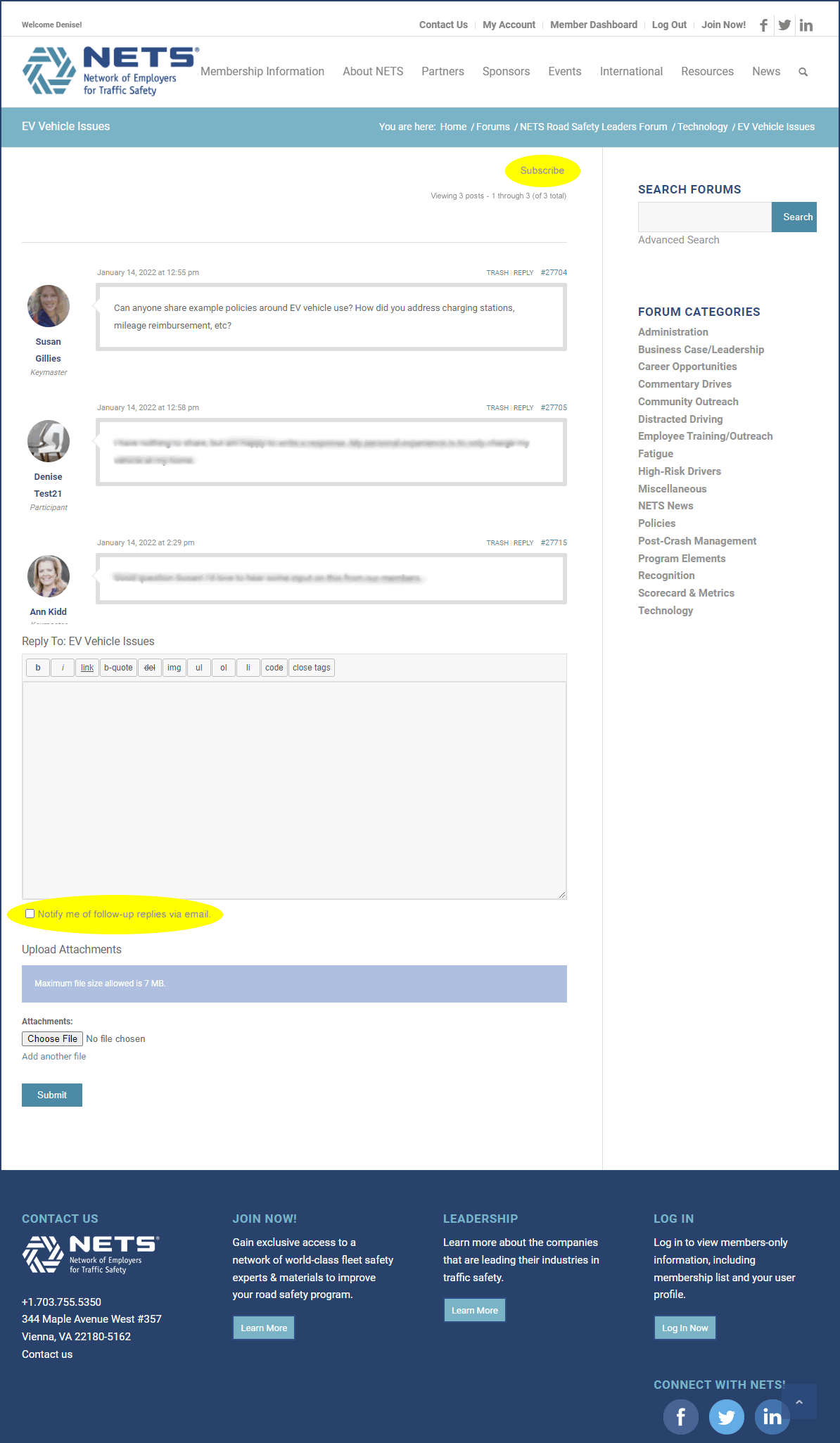
  • Subscribe with one click

    Subscribe link at the top of each topic allows you to subscribe to instantaneous topic replies.

  • Upload Profile Picture

    Topics and responses are accompanied by your personalized profile picture.

  • Receive Notifications Instantaneously

    As you create or reply to a topic, you can check the box below the text box to receive email notifications for follow-up replies.

Screenshot of redesigned website forum page

Personalize your forum experience in the My Account tab

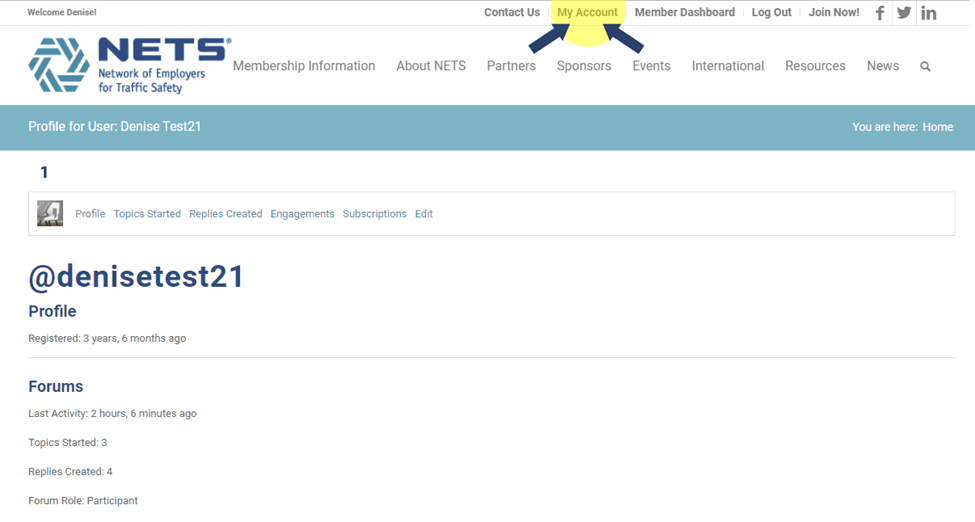
  • You must be logged into your account on the NETS website to see the My Account tab.
  • The illustration to the right shows the three sections related to the forum.
  • The numbers in the illustration correspond to the following customization options.


My Account Profile tab
  1. Click the Forum Profile section to monitor your activity

    Screenshot of Forum Profile tab
    • Use the links to view the topics you have created, replies you have created, topics in which you have engaged, and topics to which you are subscribed.
    • To return to the My Account tabs, click the My Account link at the top of the page.

  2. Click the Forum Notifications tab to select Weekly Digests and/or Instant Notifications

    Screenshot of Forum Notifications tab

  3. Click the Profile Image tab to upload your Profile Picture

    Screenshot of Profile Image tab

Add a new Forum topic

You must be logged into your NETS Member account to use the NETS Road Safety Leader’s Forum.

    1. Visit the Forum home page.
    2. Click on “Post a New Forum Topic” button.

      Post new topic in NETS Forum

    3. Complete the Forum topic form:
      1. Enter the Topic Ttitle
      2. Add the Description (question, idea you are sharing, news or information in road safety)
      3. Select under which category this topic should be filed
      4. Select if you’d like to receive an e-mail each time someone responds
      5. Press Submit
        screenshot of New Forum Topic form

Post a forum topic anonymously

  1. Login to your account and visit the Forum home page.
  2. Click the “Post or Respond Anonymously”  link and you will be asked to e-mail the topic to NETS for posting.
    Post or respond anonymously